
Home Purchase Analysis
Model a home purchase against your retirement plan: mortgage and carrying costs, timing, and appreciation, then see how outcomes shift in the simulation. Use it to explore a major life decision—not as a mortgage approval or property appraisal.
Purchase & mortgage inputs
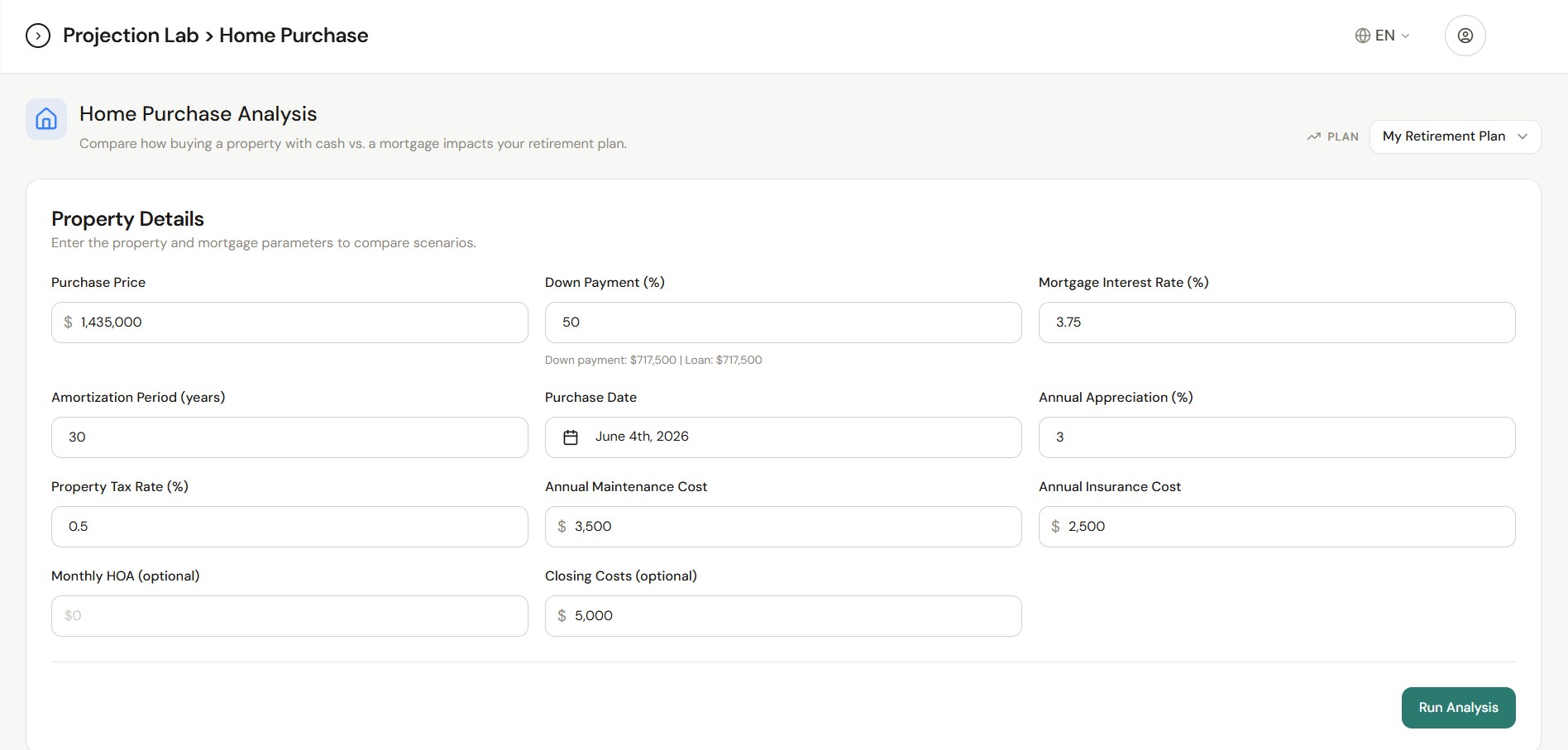
Enter price, down payment percentage, mortgage rate, amortization, purchase date, and optional costs such as property tax rate, maintenance, insurance, HOA, closing costs, and appreciation—matching the fields used in the live tool.
Stress on your plan
Run an analysis to see how adding a home purchase affects your retirement projections; review charts and tables produced in the app after the run completes.
Plan-scoped & saved
Analysis is tied to the retirement plan you select. Parameters and results can be loaded again from saved plan data when you return.
Requires existing simulation context
The page expects your plan to already have standard chance-of-success (probability-based scenario analysis) results available so the home purchase can be layered on a consistent baseline.
Inside Home Purchase
Home Purchase: property and mortgage inputs, post-run recommendation with cash vs mortgage success rates and the Net Worth Comparison chart (original plan vs cash vs mortgage), then Yearly Breakdown with optional Export CSV.
Property details & Run Analysis
Home Purchase Analysis: intro compares buying with cash vs a mortgage against your plan. The Property Details card collects purchase price, down payment % (with computed down payment and loan), mortgage rate, amortization, purchase date, appreciation, property tax rate, maintenance, insurance, optional HOA and closing costs—then Run Analysis (requires a prior chance-of-success run for the plan).
Key benefits
Optional amortization and breakdown views in-app
Charts follow household or individual columns when your baseline chance-of-success run includes them
Part of Projection Lab
Model a home purchase
Sign in, run your plan’s retirement simulation first if needed, then open Projection Lab → Home Purchase.